
Let’s be honest: those shiny prebuilt gaming rigs sitting at Walmart or on a big-box website look tempting. Bright RGB, “Gaming” slapped on the box, and a big sign that basically says, “Just plug me in, bro.”
The problem? You’re paying extra for someone else to have all the fun.
For this build, I decided to stop flirting with prebuilt PCs and finally commit to a full custom rig. Everything except my reused graphics card came from Amazon, delivered to my door, and it turned out to be easier, cleaner, and cheaper than grabbing a random prebuilt off the shelf.
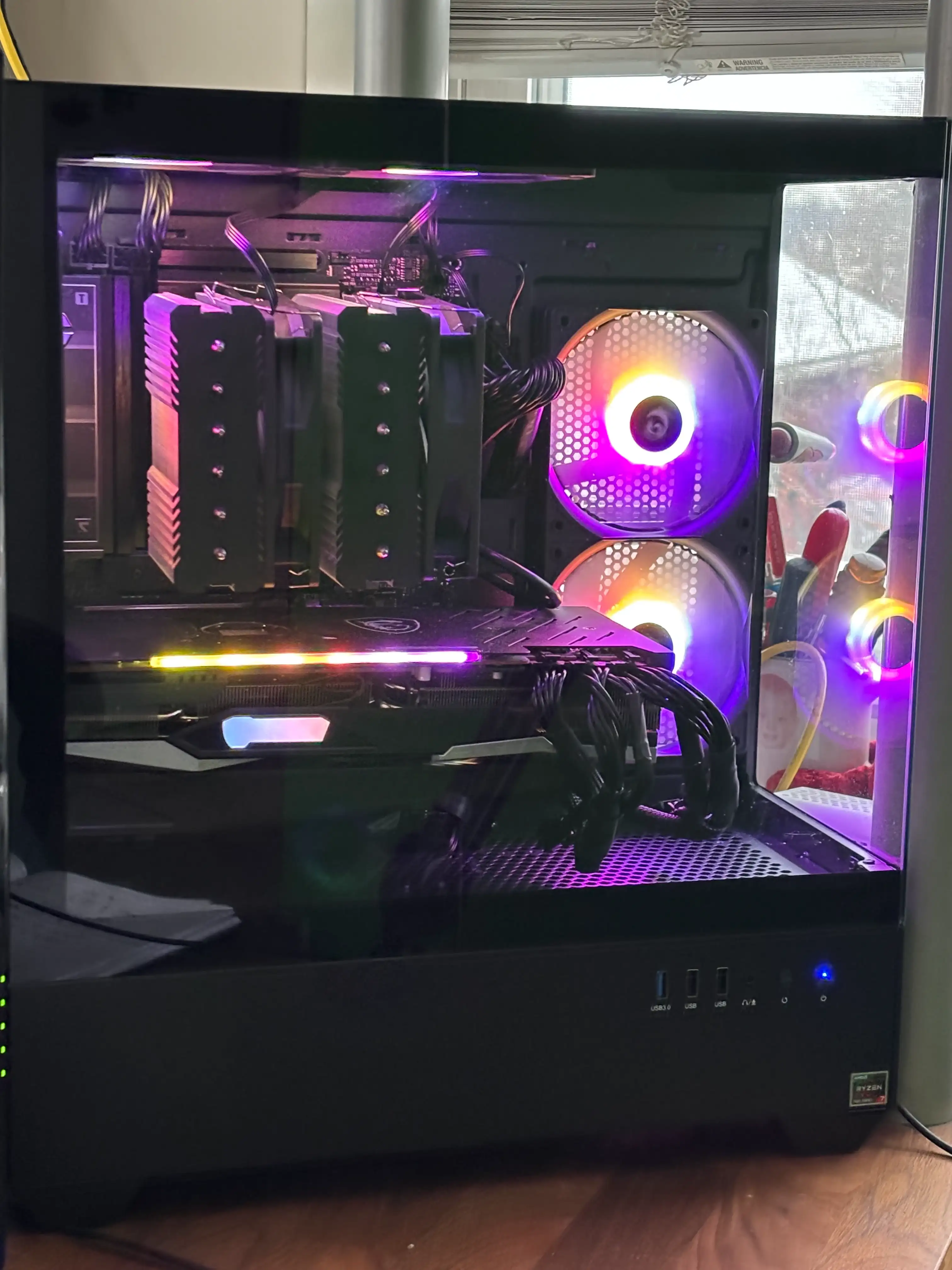
My 7800X3D build: neat cables, big air cooler, and just enough RGB to annoy the cat.
Thinking About Building One?
Start with the motherboard. That is the foundation everything else depends on, and the ASUS TUF Gaming X870E is the board I used here. If you buy through this link, I may earn a small commission at no extra cost to you.
What I Built
Here is the core of the system I put together:
- CPU: AMD Ryzen 7 7800X3D
- Motherboard: ASUS TUF Gaming X870E-PLUS WiFi 7
- Memory: Kingston Fury Beast 32GB DDR5-6000 CL30
- OS Drive: Samsung 990 EVO Plus 1TB NVMe SSD
- Game Storage: Samsung 990 EVO Plus 2TB NVMe SSD
- GPU: AMD Radeon RX 6800 XT, pulled from my previous PC
- Power Supply: Corsair RM850x 850W, fully modular, ATX 3.1
- CPU Cooler: Thermalright Peerless Assassin 120 SE
- Case: Redragon CA606 back-mounted ATX case with 3 fans pre-installed
- Extra Cooling: Thermalright TL-C12C-S 5-pack ARGB 120mm fans
- OS: Windows 11
Everything except the graphics card was brand-new. Reusing the RX 6800 XT from my old system made the build even more cost-effective and kept a perfectly good GPU out of the spare-parts graveyard.
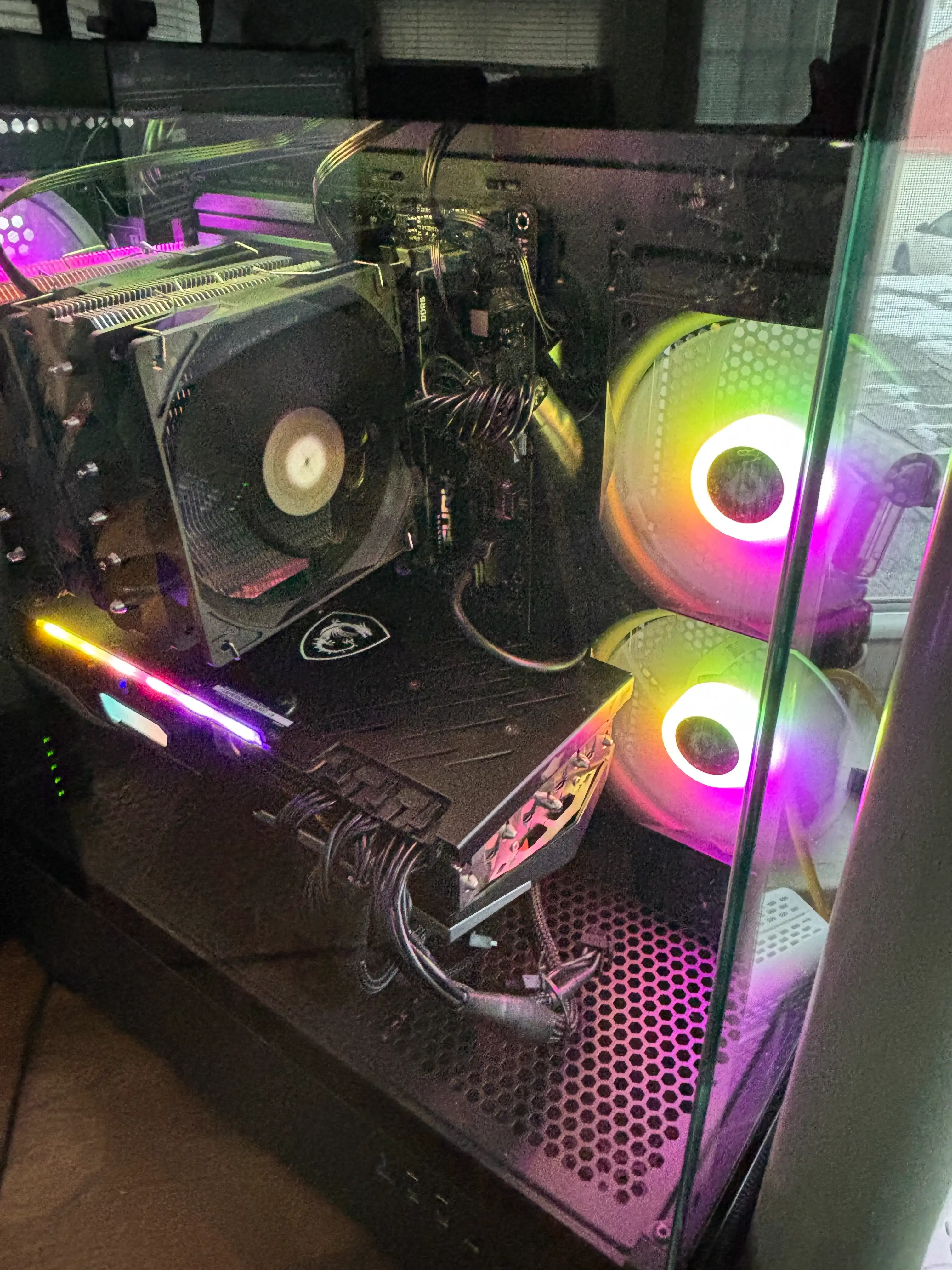
Side view with the extra Thermalright fan pack installed. Airflow for days.
Is Building Really That Hard?
Short answer: no. If you can follow IKEA instructions and plug in a toaster without burning your house down, you can build a PC. Seriously.
I took my time, watched a few YouTube guides while I worked, and followed the motherboard manual like it was a bomb defusal script. The trick is to go slow, double-check your power connections, and not force anything. Most modern parts are basically click together and go.
The best part? When I hit the power button and that first POST screen came up, it was not just “a new PC.” It was my PC. I knew every part inside it, where every cable went, and exactly what it could do.
DIY vs Prebuilt Cost Breakdown
Now for the part everyone cares about: how much did this actually cost, and did I really save anything by building it myself instead of grabbing a prebuilt?
| Component | Approx. Amazon Price |
|---|---|
| AMD Ryzen 7 7800X3D CPU | $320 |
| ASUS TUF Gaming X870E-PLUS WiFi 7 Motherboard | $260 |
| Kingston Fury Beast 32GB DDR5-6000 CL30 | $120 |
| Samsung 990 EVO Plus 1TB OS Drive | $70 |
| Samsung 990 EVO Plus 2TB Games & Media | $160 |
| Corsair RM850x 850W ATX 3.1 PSU | $130 |
| Thermalright Peerless Assassin 120 SE Cooler | $40 |
| Redragon CA606 Case with 3 fans | $95 |
| Thermalright TL-C12C-S 5-Pack ARGB Fans | $30 |
| AMD Radeon RX 6800 XT, if bought new | $390 |
| Total, all parts brand-new | ≈ $1,615 |
| My actual cost, GPU reused | ≈ $1,225 |
| Similar prebuilt estimate | ≈ $1,475 |
Prices bounce around every week, but the pattern is clear: because I reused my RX 6800 XT, I saved roughly $250 compared with buying a similar prebuilt. Even if I had bought a new GPU, I would be in the same ballpark as the prebuilt price but with higher-quality parts where it matters.
Where Prebuilts Cut Corners
Prebuilt systems love to advertise the CPU and GPU, then quietly cheap out on the parts that keep your system alive long-term: power supply, motherboard, cooling, storage, and upgrade room.
- Power supply: I went with a name-brand, ATX 3.1, fully modular Corsair unit.
- Cooling: The Peerless Assassin cooler plus eight total fans keeps the system cool.
- Storage: Two fast NVMe drives instead of one tiny SSD plus a sad, slow hard drive.
- Upgrades: Four M.2 slots, Wi-Fi 7, and room for future GPUs.
When you build it yourself, you decide where the money goes. No mystery parts. No bloatware. No “gaming” case with airflow designed by a toaster company.
Should You Build Your First PC?
If you are still on the fence, here is my honest take: stop doom-scrolling prebuilt ads and start a parts list. There are endless YouTube guides, build walkthroughs, and troubleshooting videos that will walk you through every step.
You do not have to be an engineer; you just have to be patient.
Building this system was not just about saving money. It was about understanding my hardware, getting exactly what I wanted, and not being locked into someone else’s idea of “good enough.”
So leave those Walmart prebuilts on the shelf. With a little planning and maybe a cat supervising from the box, you can absolutely build your own PC and enjoy every second of firing it up for the first time.
If you enjoyed this post, give it a thumbs up.
0