
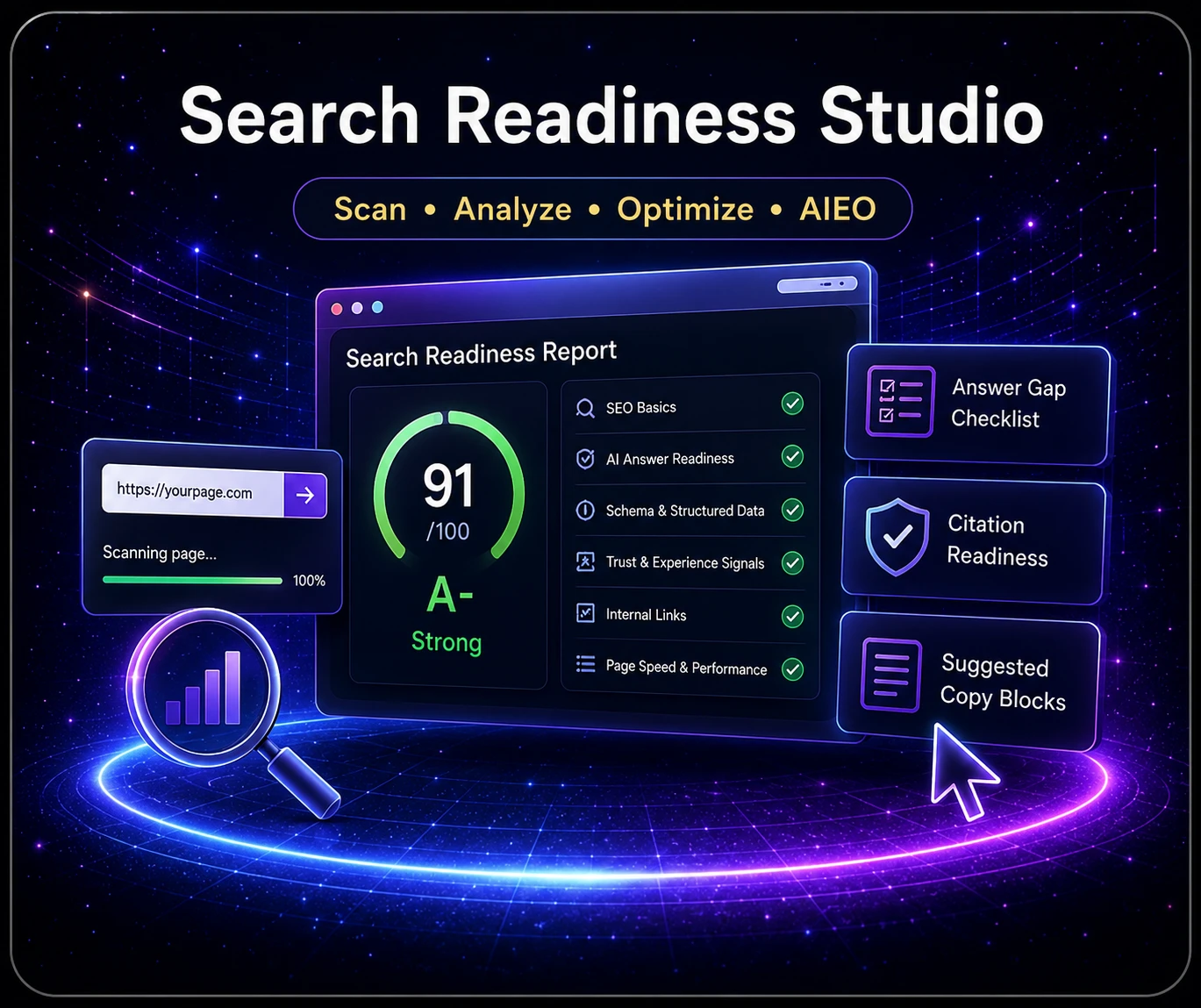
You have spent hours building your webpage.
The layout looks clean. The images are in place. The buttons work. You check it on your computer, then your phone, then probably your computer again because apparently that is what website owners do.
Everything looks good.
You read through the page one more time and think:
“This page is ready.”
Then you scan it.
Suddenly, you find a weak title, a missing description, confusing heading structure, incomplete image text, poor question coverage, missing structured data, or content that search engines and AI platforms may not fully understand.
Frustrating, right?
The page looked finished. Nothing appeared broken. But underneath that nice-looking design, several issues were quietly waiting to introduce themselves.
We have been there more times than we would like to admit.
That is one of the main reasons we developed the Search Readiness Studio.
A Good-Looking Page Is Not Always a Search-Ready Page
Your visitors see the design of your webpage.
Search engines, screen readers, and AI-powered answer platforms look much deeper. They are trying to determine what the page is about, how it is organized, what questions it answers, whether it provides trustworthy information, and where a visitor should go next.
A page can look polished while still leaving many of those questions unanswered.
That does not mean the page is bad.
It usually means the page is almost finished.
And “almost finished” is where website projects like to live forever.
What may be hiding beneath the design?
- A title that exists but does not clearly match the page
- A missing or weak meta description
- Headings that do not create a clear content outline
- Images without useful alternative text
- Important visitor questions that are never answered directly
- Links and buttons that do not clearly explain the next step
- Missing schema or structured-data signals
- Weak trust, discovery, or internal-linking signals
The Problem with Many Website Scanning Tools
There are plenty of SEO scanners online.
Some are very useful.
Some give you a score, point out two problems, and then place the rest of the report behind a monthly subscription.
How helpful.
You may only need to scan a page when you publish something new or make a major update. Paying another monthly fee for a tool you use occasionally can be difficult to justify.
Website owners already have enough subscriptions quietly helping themselves to the bank account.
We wanted something different.
We wanted a tool that would provide real value for free, review both traditional SEO and newer answer-readiness signals, explain what it found, and offer deeper access without adding another recurring payment.
What Is Search Readiness Studio?
Search Readiness Studio is a privacy-first SEO and AEO visibility scanner built for creators, bloggers, small businesses, and hands-on website owners.
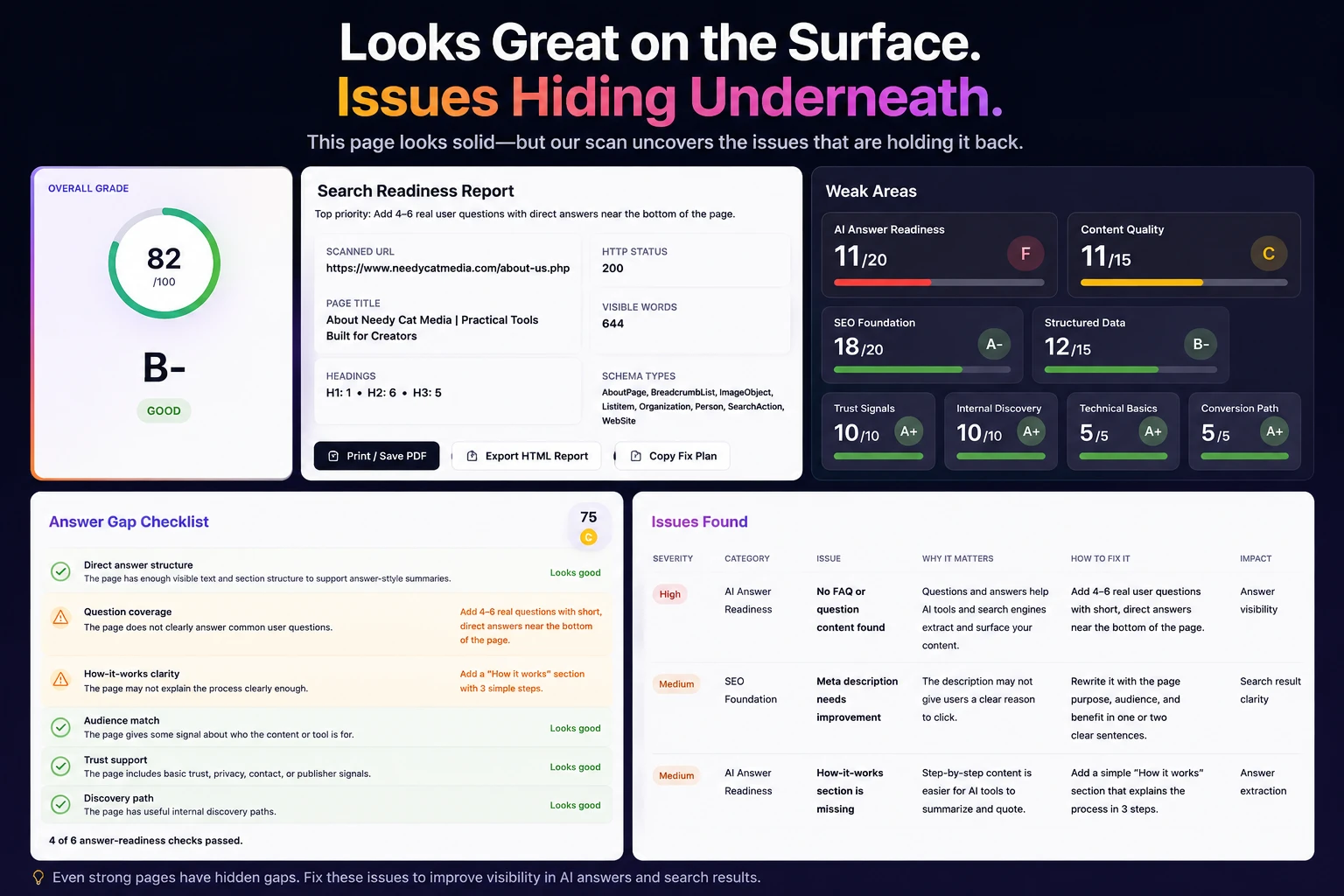
You enter the URL of a public webpage, run the scan, and receive a visual score, letter grade, category results, passed checks, issue severity, and practical guidance on what to fix next.
It is not just asking whether the page has a title tag.
It is trying to answer a more useful question:
Is this page clear, useful, structured, and ready to be understood by search engines, answer engines, AI search tools, and real visitors?
SEO and AEO Work Together
Most website owners have heard of SEO, or search engine optimization.
SEO helps search engines understand, crawl, index, and present your content in traditional search results.
AEO stands for answer engine optimization.
AEO focuses on making your content easier for answer platforms and AI-powered search systems to understand when someone asks a specific question.
The two belong together.
SEO helps explain what your page is about. AEO helps show whether the page actually answers what people want to know.
For example, a product page may describe a tool without directly answering:
- What does it do?
- Who is it for?
- Is it free?
- How much does full access cost?
- What problem does it solve?
- How is it different from similar options?
- What should the visitor do next?
You know those answers because you built the page.
Your visitors should not need to solve a mystery to find them. Search engines and AI systems should not have to play detective either.
What the Scan Reviews
SEO Foundations
The scanner reviews the page title, meta description, headings, canonical information, URL clarity, indexability, and other core signals that help traditional search engines understand the page.
AI Answer Readiness
It looks for clear answers, useful question coverage, how-it-works content, summary-friendly sections, and other signals that can make the page easier for answer engines to interpret.
Structured Data
It checks for JSON-LD and common schema types such as WebPage, Article, BreadcrumbList, FAQPage, and tool-specific structured data.
Trust and Discovery
It reviews trust signals, internal links, related paths, clear next steps, and whether the page helps both visitors and crawlers understand where the content fits within the rest of the website.
Content Clarity
Your page should explain what it offers and who it helps without making visitors scroll halfway down before finally thinking, “Oh, that is what this is.”
Images, Links, and Calls to Action
Useful alternative text, descriptive links, and clear buttons all help make the page easier to use and understand.
“Click Here” technically works.
“Scan Your Webpage” is much clearer.
Small details matter. Annoying, but true.
Why It Is More Useful Than Many Free Scanners
We are not going to pretend Search Readiness Studio is the only website scanner on the internet.
It is not.
The difference is that the free scan is designed to be useful before asking you to pay for anything.
You receive enough information to understand whether the page has visibility problems, where the main weaknesses are, what passed, and which issue deserves attention first.
The goal is not to flash a bad score on the screen and make you panic.
The goal is to help you improve the page.
Full Access Without a Monthly Subscription
A useful free scan remains available.
For people who want unlimited scans, deeper issue details, full fix guidance, answer-gap support, copy-ready suggestions, and additional export tools, there is SEO Support Pro.
SEO Support Pro is $7.99 one time.
Not $7.99 every month.
Not a seven-day trial that quietly turns into another subscription.
One payment.
The small cost helps cover the work involved in developing, testing, maintaining, and improving the tool.
Honestly, it is not designed to make anyone rich.
It helps cover the work we put into building practical tools while keeping the price reasonable for bloggers, creators, small businesses, and independent website owners.
What Pro is designed to add
- Unlimited Search Readiness scans
- The complete issue table and deeper fix details
- Full answer-gap guidance
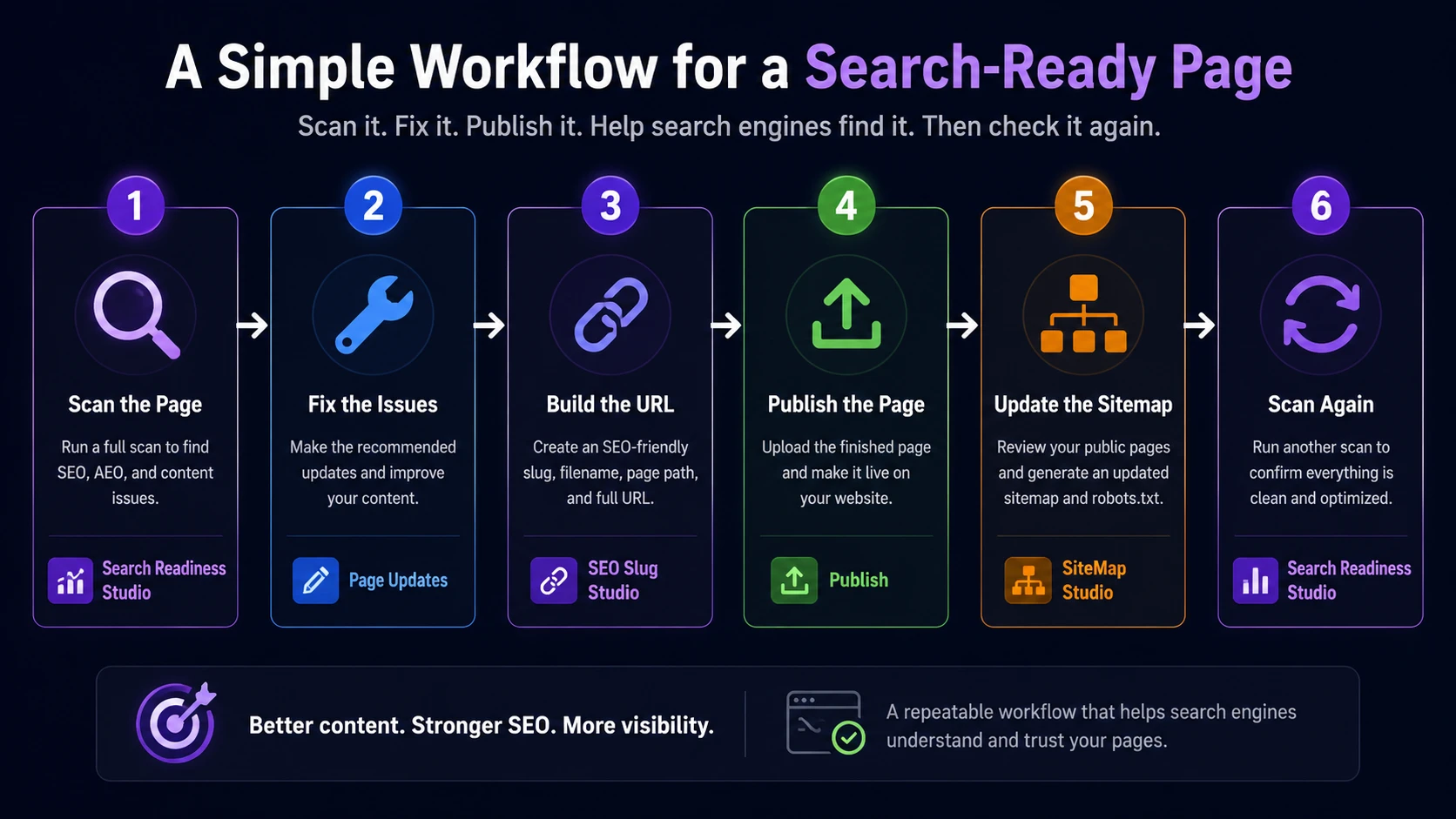
- Suggested copy and practical fix support
- Report export and copy tools
- A clearer working plan for fixing the page
No honest scanner can guarantee rankings, indexing, traffic, or AI mentions.
What a good scanner can do is show you where the page is weak and help you decide what to fix next.
The Easier the Workflow, the More Likely It Gets Done
We are big fans of simple processes.
The easier a task is to understand, the more likely it is to get completed instead of being added to that growing list of things we are definitely going to “circle back to.”
Eventually.
Probably.
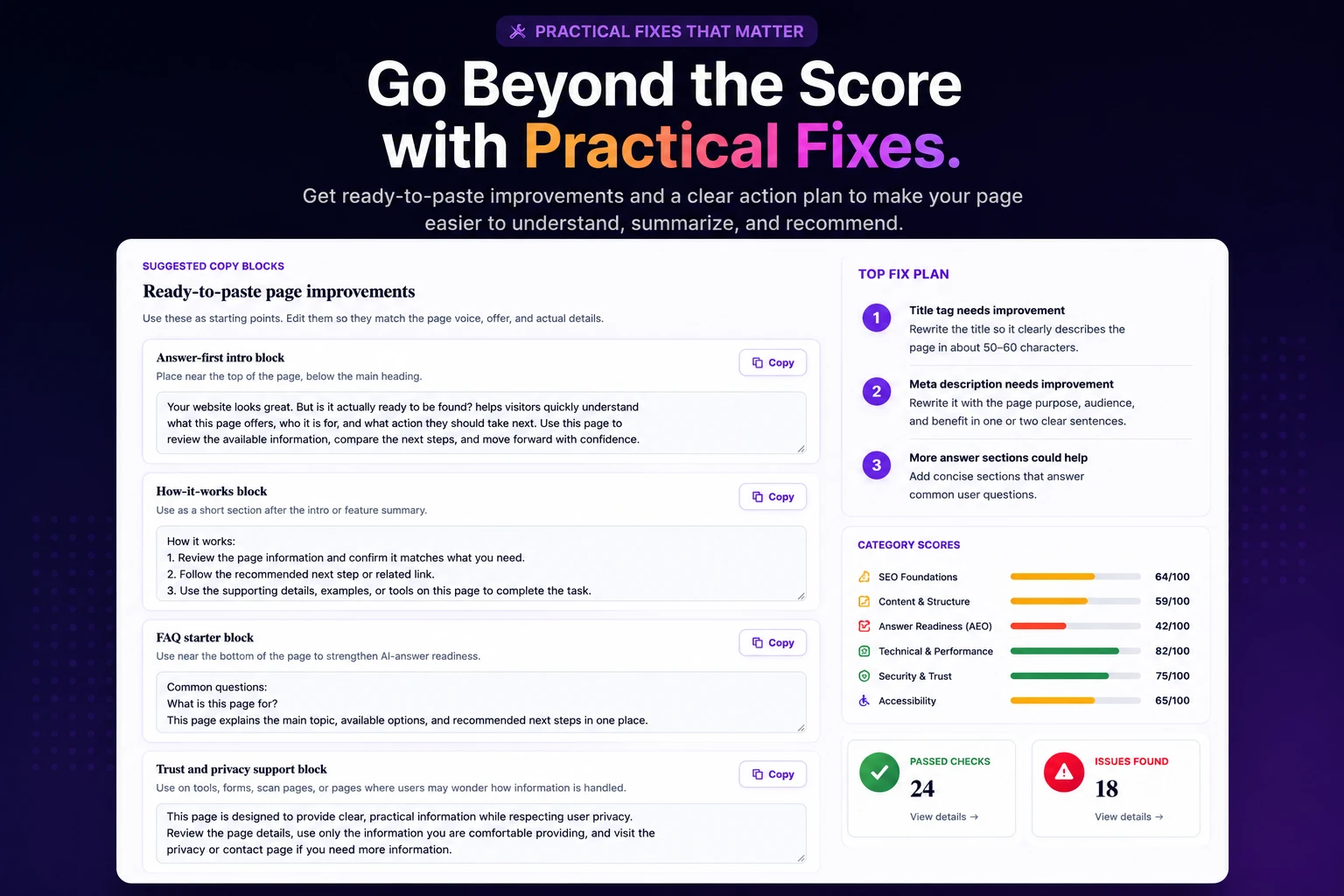
That is why we do not see Search Readiness Studio as an isolated scanner. It is the first step in a practical webpage publishing workflow.
- 1Scan the page Run the public webpage through Search Readiness Studio and review the grade, category findings, passed checks, issue severity, question coverage, and priority fixes.
- 2Fix the important issues Improve the title, description, headings, links, images, schema, questions, or page copy based on what the report finds. Start with the issues that affect clarity and usability most.
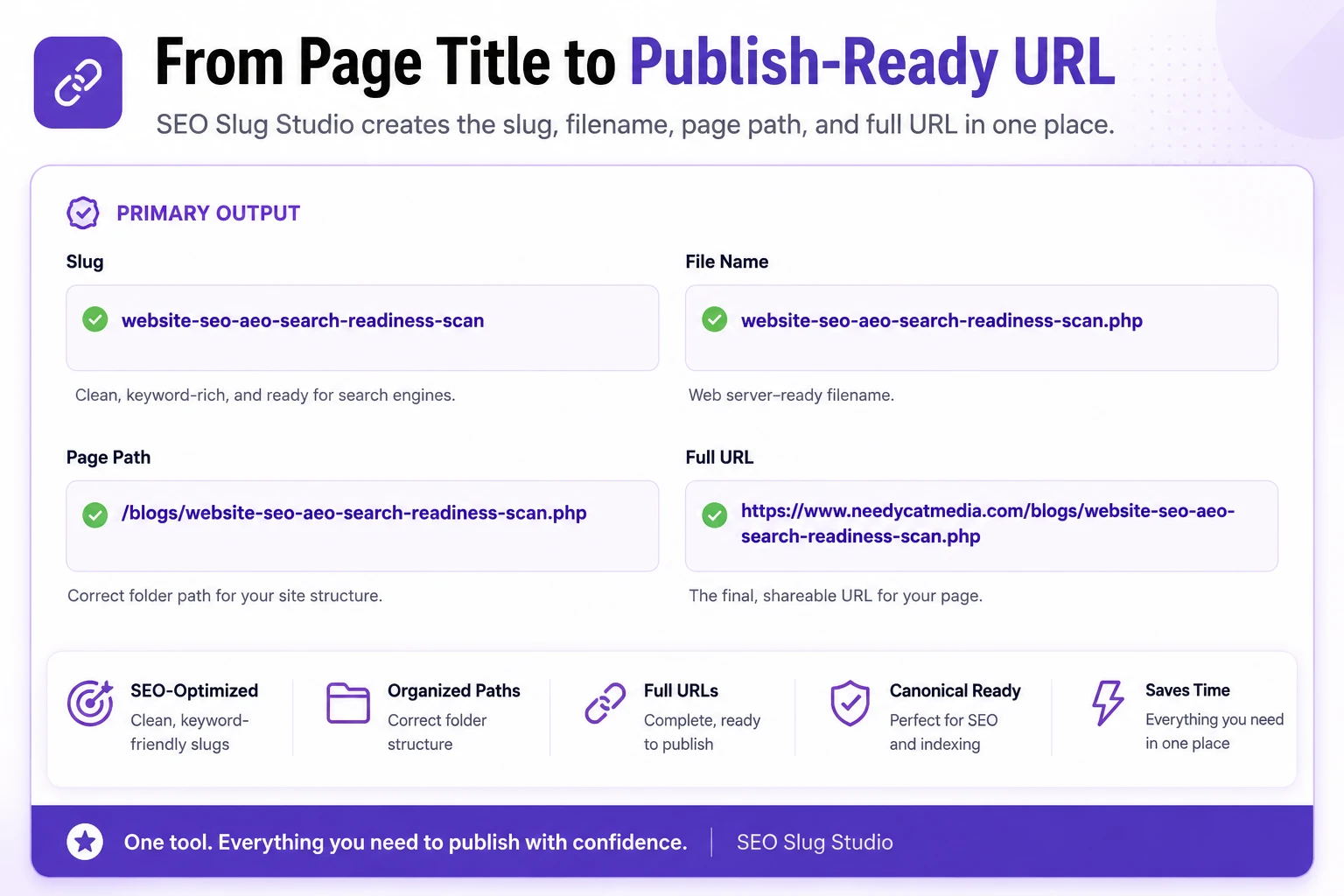
- 3Build a clean, publish-ready URL Use SEO Slug Studio to create a clean slug, file name, page path, full URL, and optional publishing support code.
- 4Publish the page Upload the finished page and confirm that the final URL works correctly on desktop and mobile.
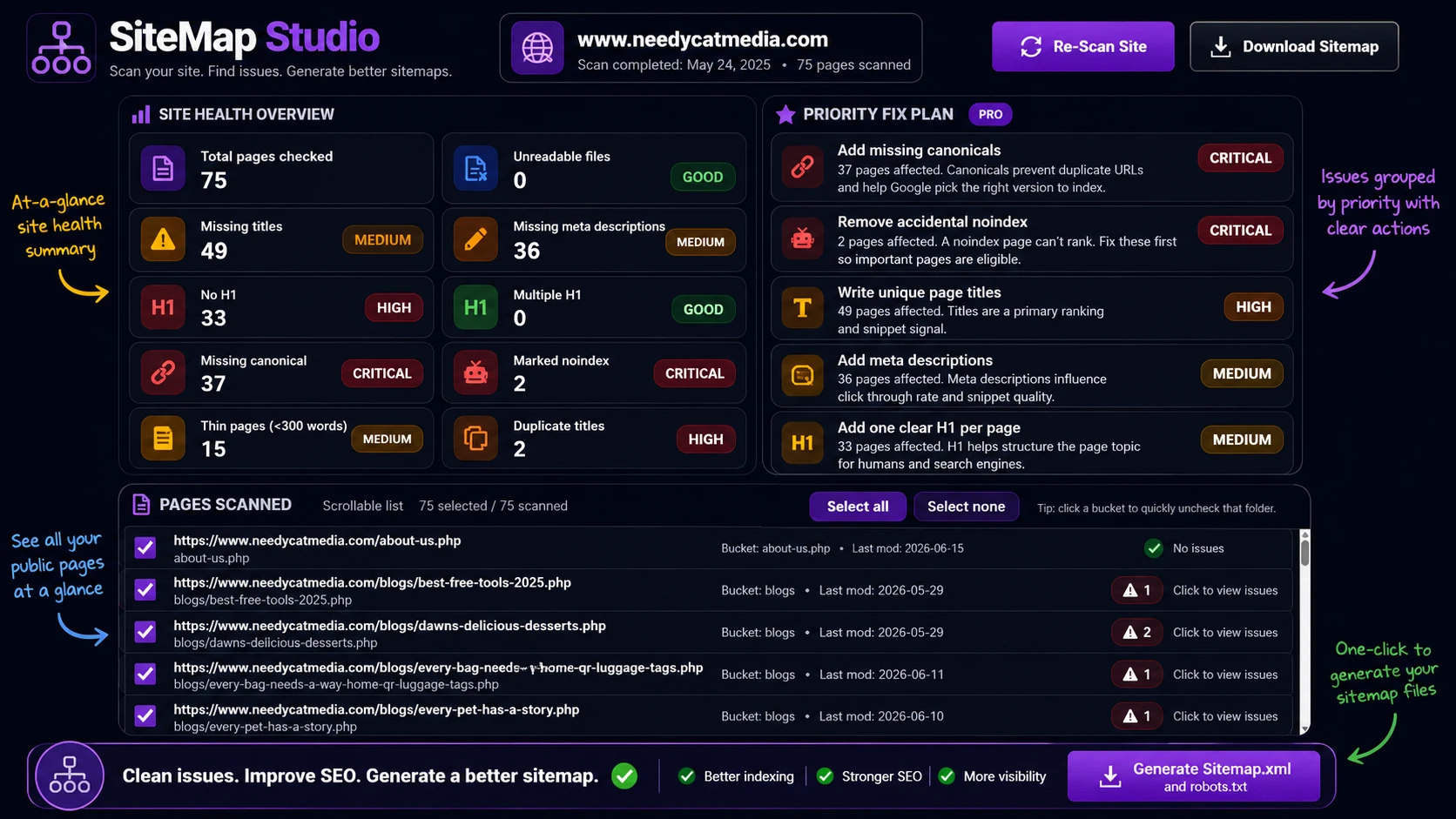
- 5Review and update the sitemap Once the page is live, use SiteMap Studio to review public pages, catch indexing concerns, and generate updated sitemap.xml and robots.txt files.
- 6Scan the page again Compare the new result with the original scan and confirm that the changes actually improved the page.
The complete workflow
Scan the page. Fix the issues. Build the URL. Publish the page. Update the sitemap. Scan again.
Simple enough to repeat. Detailed enough to be useful. No need to open fourteen unrelated tools and create a spreadsheet just to remember what happened.
Step 3: Build a Better URL with SEO Slug Studio
Once the page title and topic are finalized, open SEO Slug Studio.
This is not just a tool that removes spaces and adds hyphens.
It helps build a complete publishing result, including:
- A clean page slug
- A usable file name
- The correct page path
- A complete URL
- Optional canonical and redirect support
- Starter metadata and structured-data support
For example, a long title such as:
How to Check Whether Your New Website Page Is Ready for SEO and AI Search
Could become:
website-seo-ai-search-readiness
Cleaner. Shorter. And much better than a URL containing 18 words, three filler phrases, and a date you forgot was there.
Step 4: Finish the Discovery Path with SiteMap Studio
After the page is improved, uploaded, and using its final URL, open SiteMap Studio.
SiteMap Studio helps you scan your website, review the pages it finds, remove crawl noise, identify indexing concerns, and generate cleaner sitemap.xml and robots.txt files.
It can help identify pages with missing titles, missing descriptions, canonical problems, heading issues, noindex settings, duplicate titles, or thin content before you finalize the sitemap.
A sitemap does not guarantee that every page will rank.
It does not possess magical powers, despite what some marketing pages may suggest.
What it does provide is a clearer discovery path to the important public pages on your website.
Use the Workflow Before You Start Promoting the Page
One of the best times to run the process is before you begin actively promoting a new webpage.
The page needs to be public so the scanner can review it, but you can run the report before:
- Sharing it on social media
- Creating Pinterest pins
- Linking to it from your homepage
- Including it in an email
- Submitting it to search engines
- Paying to advertise it
This gives you a chance to catch hidden problems before visitors arrive.
Because sending traffic to a page and then discovering the title is unclear or the main question is never answered is not exactly the ideal marketing strategy.
We Use It on Our Own Website
We did not build Search Readiness Studio only for other people.
We use it on our own pages.
There have been many times when we thought a page was ready, ran a scan, and discovered that it was not as clear or complete as we believed.
How frustrating is that?
But it is also useful.
Finding the problem before promoting the page is much better than leaving it there and wondering why the page is not performing.
The tool gives us a repeatable process instead of relying on memory or hoping we remembered every SEO and AEO detail.
Spoiler alert: we usually did not.
Your Website Deserves More Than a Good First Impression
A strong webpage should look good.
It should also be clear, organized, accessible, helpful, easy to navigate, easy for search engines to understand, and prepared to answer real visitor questions.
That combination gives the page a stronger foundation for traditional search, AI-powered search, and the people who actually visit your website.
Start with the free scan.
Review the results.
Make the improvements.
Then use SEO Slug Studio and SiteMap Studio to finish the publishing workflow.
No monthly subscription. No confusing agency report. No pretending one button can magically place the page at the top of Google.
Just a practical set of tools built to help you create better webpages.
Scan your page before you call it finished.
Your webpage may look ready. Now find out whether it is truly ready for search engines, answer engines, AI search tools, and real visitors.
FAQ: SEO and AEO Search Readiness
What does Search Readiness Studio check?
It checks a public webpage for SEO foundations, AI answer readiness, structured data, trust signals, internal discovery, content clarity, and visibility gaps.
What is the difference between SEO and AEO?
SEO helps traditional search engines understand and discover a page. AEO helps make the content clearer for answer engines and AI-powered search systems responding to specific questions.
Is Search Readiness Studio free?
Yes. A useful free scan is available. SEO Support Pro is an optional $7.99 one-time unlock for unlimited scans, deeper findings, full fix guidance, and additional export tools.
Does the tool guarantee search rankings?
No. No honest scanner can guarantee rankings, indexing, traffic, or AI mentions. The tool helps you identify weaknesses and make informed improvements.
When should I use SEO Slug Studio?
Use it after the title and page topic are finalized, but before you publish or permanently link to the new URL.
When should I use SiteMap Studio?
Use it after the page is live and using its final URL. It can help review public pages, diagnose indexing concerns, and create updated sitemap and robots files.